Table of Contents
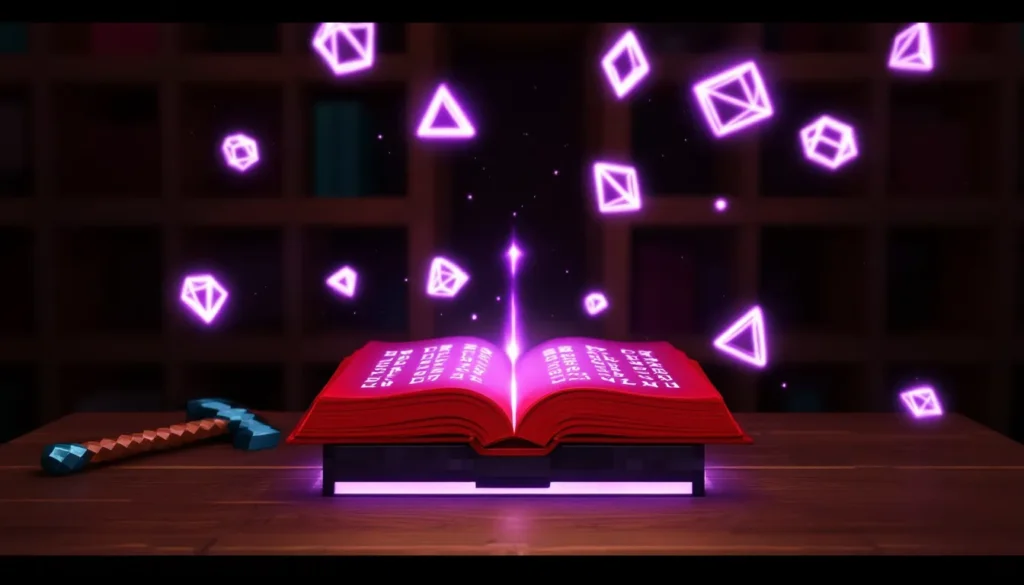
ToggleIf you’ve ever opened an enchantment table in Minecraft, you’ve stared at those cryptic symbols floating from the bookshelves into the table, wondering what secrets they hold. Those glowing runes aren’t gibberish, they’re actually written in a real alphabet with a fascinating backstory. Known as the Standard Galactic Alphabet, this mysterious writing system has been part of Minecraft since enchanting was introduced in Beta 1.9, and it’s sparked countless attempts to decode its meaning.
Here’s the thing: while the symbols are readable, they don’t actually tell you what enchantments you’ll get. The text is essentially flavor, random words that create atmosphere without revealing game mechanics. But that hasn’t stopped the community from creating translators, building custom signs, and diving deep into the alphabet’s surprising origins.
Whether you’re trying to decode those enchantment table messages, create custom builds with authentic-looking runes, or just understand what’s actually happening when you enchant your diamond pickaxe, this guide covers everything about Minecraft’s enchantment language, from translation methods to the truth about how enchanting really works.
Key Takeaways
- The Minecraft enchantment language is the Standard Galactic Alphabet, a simple letter-substitution cipher borrowed from the Commander Keen series that creates mystical atmosphere without revealing actual enchantment outcomes.
- Enchantment table text is randomly generated and completely decorative—it has zero correlation with the enchantments you’ll actually receive, so don’t waste time looking for patterns in the floating symbols.
- Maximize enchanting power by placing 15 bookshelves exactly one block away from your enchantment table in a 5×5 hollow square configuration, which unlocks level 30 enchantments.
- The actual enchantment system relies on enchantment power, item type, and RNG calculations—not the Standard Galactic text—so understanding bookshelf placement and level management is far more useful than translation.
- Use online minecraft enchantment table translators or resource packs to decode the symbols for custom builds and puzzles, or learn the 26-character alphabet manually for creative projects.
- Leverage anvils strategically with the binary combining method to create impossible gear combinations while minimizing prior work penalties, which is where true enchanting mastery lies.
What Is the Minecraft Enchantment Language?
The enchantment language in Minecraft is the Standard Galactic Alphabet, a character substitution cipher where each English letter has a corresponding symbol. When you hover over enchantment options at an enchanting table, you’ll see text written in these angular, alien-looking glyphs accompanied by the occasional English word in italics.
The alphabet consists of 26 unique symbols, each representing one letter from A to Z. There are no special characters for numbers or punctuation, just straight letter-for-letter substitution. This makes it relatively simple to translate once you know the character mappings, though the symbols themselves look deliberately arcane and mysterious.
The History and Origin of the Standard Galactic Alphabet
The Standard Galactic Alphabet didn’t originate with Minecraft. It first appeared in the Commander Keen series, a classic platformer franchise developed by id Software in the early 1990s. The alphabet was created as a fictional writing system for the game’s sci-fi universe, appearing on signs, terminals, and environmental details throughout the series.
When Notch was developing Minecraft’s enchanting system, he borrowed this alphabet as an homage to classic PC gaming. The choice was partly nostalgic, partly aesthetic, the symbols have that perfect blend of magical and technological that fits Minecraft’s unique vibe. The alphabet’s angular, geometric design translates well to Minecraft’s blocky aesthetic, making it feel like a natural part of the game’s visual language.
Why Minecraft Uses This Mysterious Language
Mojang implemented the Standard Galactic Alphabet primarily for atmosphere and immersion. The floating symbols create a sense of ancient magic and unknown power, making the enchanting process feel more mystical and significant. It’s world-building through visual design, suggesting that enchanting taps into some arcane knowledge beyond the player’s immediate understanding.
There’s also a practical reason: the randomized text prevents players from knowing exactly which enchantment they’ll receive before spending their levels and lapis lazuli. If the table displayed plain English descriptions, the mystery and gambling aspect of enchanting would disappear. The cryptic symbols maintain the element of chance that’s central to Minecraft’s enchantment system, even though, as we’ll cover later, the text itself has zero correlation with the actual enchantments you receive.
How to Read and Translate Enchantment Table Text
Translating the enchantment table text is straightforward once you understand the system. The symbols look complex, but they’re just a simple substitution cipher with no hidden meanings or special rules.
Understanding the Standard Galactic Alphabet Character Set
Each symbol in the Standard Galactic Alphabet corresponds to exactly one English letter. The character set is purely alphabetic, no numbers, no special characters, no uppercase/lowercase distinction. Here’s what you need to know:
- The symbols are angular and geometric, designed to look alien yet readable
- Each of the 26 English letters (A-Z) has one unique symbol
- The translation is one-to-one: every symbol always means the same letter
- Spaces between words are preserved in the enchantment table text
You can find full character charts online that show each symbol next to its English equivalent. Once you memorize or reference the chart, reading the language becomes a simple translation exercise, just swap each symbol for its corresponding letter.
Step-by-Step Translation Methods and Tools
There are several ways to translate enchantment table text, depending on whether you want to decode it manually or use digital tools.
Manual Translation:
- Screenshot the enchantment table text you want to translate
- Reference a Standard Galactic Alphabet chart (widely available online)
- Match each symbol to its English letter equivalent
- Write out the English letters to reveal the words
This method is slow but educational, you’ll start recognizing common symbols after a few translations.
Using Online Translators:
Several dedicated minecraft enchantment table translator tools exist online. These let you either type English text to see it in Standard Galactic, or input the symbols to get English output. Popular options include:
- Browser-based conversion tools that show both alphabets side-by-side
- Interactive translators where you click symbols to build words
- Mobile apps designed specifically as a minecraft language translator
These tools work instantly and are perfect when you want quick translations without memorizing the entire alphabet. Many gaming guide sites like Twinfinite have featured these translators in their Minecraft how-to sections.
Texture Pack Method:
Some resource packs replace the Standard Galactic font with regular English letters, letting you read enchantment table text without any translation. This removes the mystery but can be useful for players who find the encryption frustrating.
The Truth About Enchantment Table Messages
Here’s what surprises most players: the words displayed on the enchantment table are completely random and meaningless. They don’t hint at which enchantments you’ll receive, and they don’t follow any logical pattern related to the item being enchanted.
The text is pulled from a pool of random English words, then converted to Standard Galactic Alphabet. You might see phrases like “creature inside” or “the elder scrolls,” but these are just flavor text. Mojang added references to other games and random vocabulary to create atmosphere, not to provide information.
The actual enchantment you receive is determined by RNG and enchantment power calculations (covered in the next section), not by the text displayed. Many new players waste time trying to find patterns in the language, thinking certain words correlate with certain enchantments. They don’t. The enchantment table text is purely decorative, mystical window dressing for a mechanical dice roll happening behind the scenes.
How the Enchanting System Actually Works
Understanding what determines your enchantments is more useful than translating the decorative text. The system runs on enchantment power, random selection, and bookshelf configuration, not on the Standard Galactic words floating around your table.
The Role of Bookshelves and Enchantment Levels
Bookshelves directly increase the enchantment power available to you, which unlocks higher-level enchantments. Here’s the setup:
- You need 15 bookshelves for maximum enchantment power (level 30 enchants)
- Bookshelves must be placed exactly one block away from the enchantment table, with air between them
- They must be at the same level as the enchantment table or one block higher
- Torches, carpet, or any block between the shelves and table will block their effect
The standard optimal setup is a 5×5 hollow square of bookshelves with the enchantment table in the center, leaving one block of air gap. This configuration provides all 15 bookshelves in range.
Enchantment levels are what you spend, your XP levels combined with lapis lazuli (1-3 pieces depending on the tier). The three options shown correspond to different enchantment power tiers:
- Top option: Highest level requirement (up to 30), best enchantments
- Middle option: Medium level requirement
- Bottom option: Lowest requirement (1-8 levels), weakest enchantments
The number shown isn’t the exact XP cost, it’s the enchantment power level. The actual level cost for the top slot can vary between 1 and the number shown, based on complex calculations involving modified enchantment levels.
Understanding Enchantment Power and Random Selection
When you select an enchantment option, Minecraft runs several calculations:
- Modified enchantment level is calculated using your enchantment power, the item being enchanted, and a random element
- The game selects a random primary enchantment weighted by rarity and item compatibility
- Additional enchantments may be added based on probability rolls
- Enchantment levels are randomly assigned within allowed ranges for each enchantment
This is why you can use a level 30 enchantment and get Sharpness III, or get Sharpness V with bonus enchantments, there’s significant RNG involved. The system is deliberately unpredictable, which is why many experienced players use enchanting strategically, combining table enchants with anvil work for optimal gear.
Why the Galactic Text Doesn’t Determine Your Enchantments
The Standard Galactic Alphabet text is generated separately from the enchantment calculations. When you open the enchantment table, the game:
- Randomly selects words from a hardcoded list of English vocabulary
- Converts those words to Standard Galactic symbols for display
- Calculates your actual available enchantments based on power level, item type, and RNG
These two processes are completely independent. The text generator doesn’t communicate with the enchantment selector. You could see “curse well” and receive Efficiency V, or see “free hotdog” and get Curse of Vanishing (okay, “free hotdog” isn’t in the list, but you get the point).
This separation is intentional design. Mojang wanted mystical-looking text without creating a decipherable code that would remove the enchanting system’s gambling aspect. The Standard Galactic Alphabet serves its purpose perfectly, it looks magical and mysterious while revealing absolutely nothing about the mechanical outcome.
Creating Your Own Enchantment Language Translations
Beyond reading enchantment tables, many players use the Standard Galactic Alphabet for custom builds, server signs, and creative projects. It’s become a recognized part of Minecraft culture, showing up in adventure maps, puzzle rooms, and decorative builds.
Using the Standard Galactic Alphabet in Builds and Signs
You can’t type Standard Galactic symbols directly in Minecraft signs or books without mods, but there are several workarounds:
Resource Pack Method:
Create or download a resource pack that replaces the default font with Standard Galactic Alphabet characters. When applied, everything you type will appear in the enchantment language. This works for:
- Signs
- Books and quills
- Item names (using anvils)
- Chat messages
- Command blocks
Many custom resource packs exist specifically for this purpose, letting you toggle between regular and enchantment table text depending on your needs.
Map Making and Commands:
For adventure maps and custom servers, you can use resource packs combined with command blocks to create puzzles where players must translate Standard Galactic clues. This adds a layer of immersion and difficulty without requiring external tools.
Pixel Art and Builds:
Some builders recreate Standard Galactic symbols using blocks, creating large-scale text for spawn areas, faction bases, or lore-heavy adventure maps. Concrete, terracotta, and wool provide enough color variety to make the angular symbols readable at scale.
Best Online Translators and Conversion Tools
Several reliable tools handle Standard Galactic Alphabet conversion:
Dedicated Minecraft Language Translators:
These browser-based tools offer instant bidirectional translation. You type English, get Standard Galactic output, or vice versa. Features typically include:
- Real-time conversion as you type
- Copy-paste functionality for quick use
- Visual symbol charts for reference
- Mobile-friendly interfaces
Many gaming news sites like IGN have covered these tools in their Minecraft guide sections, linking to the most accurate converters.
Image-Based Reference Charts:
Downloadable PNG or PDF charts showing all 26 characters side-by-side are essential for manual translation. Keep one open on a second monitor or print it for quick reference while building or solving puzzles.
Mod-Based Solutions:
Several Minecraft mods add in-game translation features:
- Automatic enchantment table translation overlays
- Keyboard input for Standard Galactic text
- Books that display both alphabets simultaneously
These are particularly useful for modded servers or adventure map creators who want integrated translation without requiring players to alt-tab to external websites.
Fun Facts and Easter Eggs About the Enchantment Language
The Standard Galactic Alphabet in Minecraft contains several hidden references and has inspired a surprising amount of community creativity since its introduction in Beta 1.9.
Hidden References to Commander Keen
As mentioned earlier, the alphabet comes from the Commander Keen series. But the references go deeper:
- Some of the random words in the enchantment table’s word pool reference Commander Keen locations and items
- The phrase “Creature Inside” appears occasionally, this was the subtitle of Commander Keen’s first episode
- Mojang included “the elder scrolls” and other gaming references in the random word list, creating an Easter egg layer cake
These nods to gaming history are typical of Minecraft’s development philosophy. Notch frequently referenced classic PC games, and the Standard Galactic Alphabet fit perfectly into that nostalgic design approach.
Version History:
The enchantment language has remained remarkably consistent since Beta 1.9 (September 2011). While the enchanting system has received numerous balance updates, including the Village & Pillage update (1.14) changes to mechanics and the addition of new enchantments, the Standard Galactic Alphabet itself hasn’t changed. The same symbol-to-letter mappings work today in Java Edition 1.20+ and all Bedrock platforms.
Community Creations and Cultural Impact
The Minecraft community has adopted the Standard Galactic Alphabet as a cultural touchstone:
Custom Adventure Maps:
Countless adventure maps use the alphabet for puzzles, lore entries, and atmospheric storytelling. Players might need to translate ancient texts to progress, decode coordinates, or understand in-game histories. This creates engaging gameplay that rewards both pattern recognition and dedication.
Merchandise and Fan Art:
The symbols appear on unofficial Minecraft merchandise, fan-created posters, and even tattoos. Players who spent hours learning the alphabet often incorporate it into Minecraft-themed art, treating it as part of the game’s visual identity alongside creepers and Endermen.
Server Communities:
Some servers use Standard Galactic exclusively for certain ranks, secret areas, or special chat channels. This creates in-group knowledge, players who take time to learn the alphabet gain access to hidden content or communication channels.
Educational Use:
Interestingly, some educators use the enchantment language to teach cipher concepts and pattern recognition. It’s a simple substitution cipher, making it perfect for introducing cryptography basics to students who are already engaged with Minecraft.
The alphabet has transcended its role as decorative flavor text, becoming a recognized symbol of Minecraft culture that appears in contexts far beyond the enchantment table.
Advanced Tips for Enchanting in Minecraft
While the enchantment language itself is just decoration, understanding how to optimize the actual enchanting system will save you levels and resources. Here’s what experienced players do.
Optimizing Your Enchantment Table Setup
Beyond the basic 15-bookshelf configuration, there are several optimization strategies:
Efficient Bookshelf Layouts:
The standard 5×5 hollow square works, but alternatives include:
- Compact designs that save space in small enchanting rooms
- Aesthetic layouts that integrate shelves into walls or pillars while maintaining the one-block air gap
- Redstone-powered setups with pistons that move bookshelves in and out, letting you switch between max-level and low-level enchanting without rebuilding
That last option is particularly useful when you want level 1 enchants for specific purposes (like resetting items in 1.14+ mechanics) but also need access to level 30 options.
Level Management Strategy:
Don’t just dump levels into the first max-level enchant you see. Experienced players:
- Enchant multiple items to “cycle” the enchantment table’s RNG seed (in some versions)
- Use level 1 enchants on throwaway items to spend minimal XP and refresh available options
- Save level 30 enchants for tools and armor where multiple powerful enchantments matter most
- Consider books instead of direct enchanting, giving you flexibility to combine results later
Lapis Efficiency:
While lapis lazuli is common, optimizing its use matters in early game:
- Level 1 enchants require 1 lapis
- Level 2 enchants require 2 lapis
- Level 3 enchants require 3 lapis
If you’re low on lapis, prioritize which items truly need max-level enchants versus which can work with medium-tier options.
Combining Enchantments with Anvils
The anvil is where enchanting strategy gets complex and powerful. Understanding enchantment combining lets you create gear that’s impossible to get from an enchantment table alone.
Enchantment Limits:
Enchantment tables have maximum levels for each enchantment that are often lower than the enchantment’s true maximum. For example:
- Sharpness from a table maxes at V, but that’s actually the true max (bad example)
- Protection can appear at IV from a table, which is the max
Actually, most maxes are achievable from tables, but the probability is low. The real advantage of anvils is combining incompatible enchantments from multiple sources.
Optimal Combining Strategy:
- Enchant books rather than final gear when possible, books are cheaper to combine
- Plan your combination tree, every anvil use increases the item’s prior work penalty, which raises future costs
- Combine expensive enchantments last to minimize total level costs
- Use villager trading for specific enchanted books, which is often cheaper than gambling with the enchantment table
Prior Work Penalty:
Each time you use an item in an anvil, its prior work count increases, exponentially raising future costs. The formula is (2^n – 1) extra levels, where n is the prior work count. After 6 anvil uses, the item becomes “Too Expensive.” and can’t be modified further in survival.
To minimize this:
- Combine books with books first, then apply to the final item
- Use a binary combining strategy (combine pairs, then combine pairs of pairs)
- Apply the most expensive combination last
Mastering this system lets you create perfectly optimized gear within the prior work limits, something that’s impossible if you just apply enchanted books one at a time to your diamond sword.
Conclusion
The Standard Galactic Alphabet is one of Minecraft’s most recognizable aesthetic elements, those mysterious floating symbols define the enchanting experience even though they don’t actually tell you anything about your enchantments. Understanding that the text is decorative rather than functional saves you from chasing phantom patterns, letting you focus on the actual mechanics of bookshelf placement, enchantment power, and RNG management.
Whether you’re using a minecraft enchantment table translator to decode the random phrases, building custom adventure maps with Standard Galactic puzzles, or just appreciating the nostalgic nod to Commander Keen, the enchantment language adds depth to Minecraft’s world. It’s a perfect example of how aesthetic choices enhance gameplay without complicating mechanics, the symbols create atmosphere and mystery while the underlying system remains learnable and strategic.
Now you know both sides: how to read the language, and why it doesn’t matter for actual enchanting. Use that knowledge to optimize your setups, create immersive builds, or just enjoy the arcane aesthetic while you roll for that perfect Efficiency V, Unbreaking III, Fortune III pickaxe.